
1. You will get an email invoice sent by Intuit Quickbooks Secure Payment system.
2. Click "Review and Pay" button link in your email and click "Pay Now" button on the new page.
3. Sign in if you already have a saved payment method, if not, continue. Follow screenshots below.
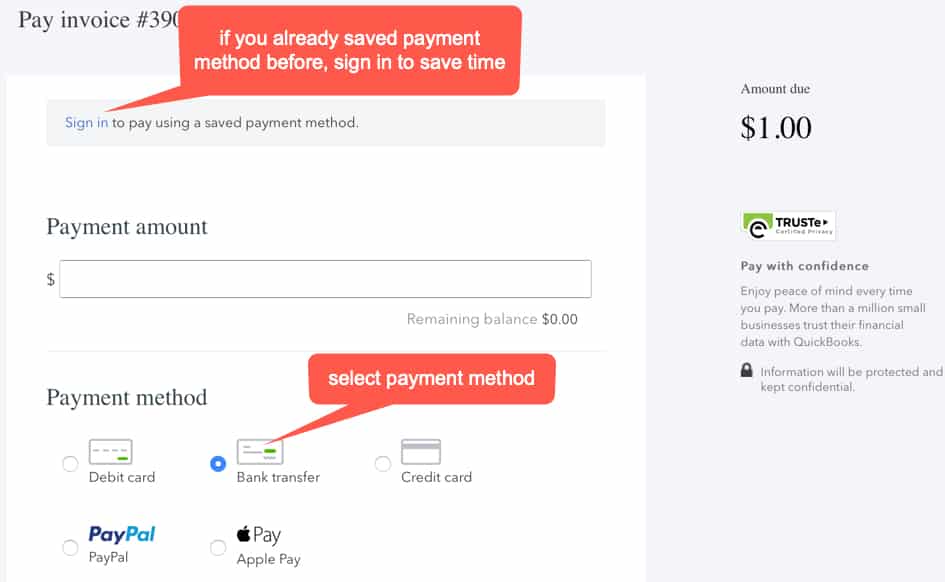
4. Select Account Type and Enter Bank Information

5. Click Send Payment.